Ksenia Kartamysheva
 - Mid-size organizations often outgrow basic task-management tools when project coordination, resource planning, reporting, and cross-team visibility become more complex.
- Hybrid teams rely on project management software to create a shared source of truth and prevent important decisions from being communicated only through informal conversations.
- Resource planning, utilization tracking, and project financial visibility become increasingly important as professional services firms scale beyond small teams.
- The most effective hybrid-work platforms provide strong asynchronous collaboration, notification controls, time zone awareness, and integrations with communication tools.
- AI is becoming more valuable in project management through automated summaries, risk detection, and capacity forecasting rather than autonomous decision-making.
- A successful software evaluation focuses on solving actual coordination challenges rather than comparing feature lists, with pilot projects often revealing more than product demos.
Mid-size teams means 20 to 300 people – large enough that informal coordination breaks, small enough that enterprise-grade complexity adds overhead without value. Hybrid teams means part remote, part office. Not “everyone works from home sometimes.” A split that’s permanent, structural, and creates a coordination layer pure-remote setups don’t face. Project management software is what holds both together.
A Monday morning standup. Twelve project managers, three time zones, six tools open simultaneously – Slack, email, a spreadsheet, two PM platforms from two different departments, and a shared doc nobody remembers updating. This is what “we have a system” looks like in most mid-size teams. Whether it actually works depends almost entirely on whether the tool matches how the team works – not how the team wishes it worked.
This comparison covers five tools that hold up in that environment: Birdview PSA, ClickUp, Monday.com, Asana, and Wrike. Each has a different center of gravity. Match the tool to the friction – not the other way around.
Why mid-size teams start looking beyond task management
The challenge for most mid-size organizations isn’t creating tasks. It’s coordinating work across multiple projects, teams, and priorities at the same time.
At smaller companies, managers often know who is available, where projects stand, and which deadlines are at risk. As organizations grow, that visibility becomes harder to maintain. Staffing decisions, project budgets, utilization, and delivery timelines start affecting one another in ways that aren’t obvious from a task list alone.
This is often the point where teams begin evaluating more advanced project management and professional services automation platforms.
Best software for mid-size teams
Project management software for mid-size teams with remote collaboration needs earns its place by removing coordination friction. Ask a project manager at a 50-person agency what broke down last quarter. The answer is rarely “we needed more features.” It’s something specific: a resourcing conflict surfaced too late, status scattered across three tools, a weekly call to collect information that should have been visible all along. These five approach it differently.
Birdview PSA
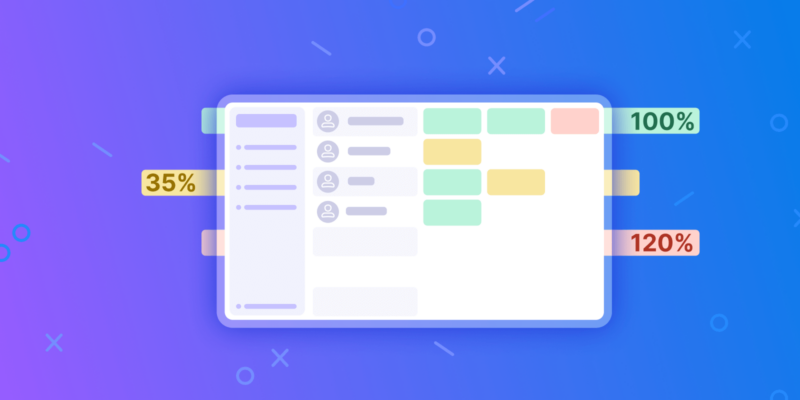
Birdview PSA offers project management tools for hybrid teams purpose-built for professional services: consulting firms, agencies, IT delivery, architecture practices. Resource planning is the core strength: project managers see utilization across all active projects simultaneously, flag over-allocation before it becomes a staffing crisis, and track both planned and actual capacity at team and individual level.
Most mid-size firms don’t realize resource planning is the problem until project delivery starts becoming unpredictable. Deadlines slip, key specialists appear on multiple project plans, and managers spend more time discussing availability than delivery itself. The scenario that surfaces most often: heading into quarterly planning, two senior consultants already at 110% before a single new engagement is in the pipeline. That’s the problem Birdview is designed to catch before it becomes a client conversation.
Financial management is the other standout. Budget tracking, earned value analysis, and EAC (Estimate at Completion) are built in rather than bolted on. For teams where project delivery and revenue are tightly connected, that’s worth considerably more than it sounds on a feature list. Birdview is the strongest choice here for professional services teams that have outgrown generic PM tools.
ClickUp
The team already runs ten tools. Sales wants Salesforce syncing. Engineering wants GitHub connected. The PM wants custom dashboards. ClickUp handles all of it, not because any single integration is best-in-class, but because it’s built around accommodation rather than opinion. 1,000+ integrations. Fully configurable. A free tier that holds up.
Configuration takes two to four weeks done properly. Most teams don’t budget for that. Worth it for complex setups; a poor fit for teams that need to run by Friday.
Monday.com
Monday.com is known for ease of adoption. The interface is visual, approachable, and works well for non-technical users. Resource planning remains limited at standard tiers, and reporting becomes restrictive as portfolio complexity grows. Pricing also increases noticeably as team size expands.
Asana
Asana is strongest in cross-functional project coordination. Timeline views and dependency management are mature and reliable. Budget visibility is limited, and resource planning typically requires additional tools or workarounds.
Wrike
Legal sign-off before anything ships. An audit trail the compliance team can read. Approval chains that don’t live in email threads. That’s the specific problem Wrike is built around: formal workflow structures in environments where informal coordination isn’t an option. Cross-project visibility is one of the stronger implementations at this price tier.
Interface hasn’t aged well. Pricing scales steeply with headcount. Onboarding takes longer than the demo suggests.
| Tool | Best For | Ideal Team Size | Resource Planning | Financial Tracking | Customization |
| Birdview PSA | Professional services | 20–200 | Advanced | Advanced | Moderate |
| ClickUp | Versatile teams | 10–500+ | Basic | Basic | Advanced |
| Monday.com | Visual, non-technical users | 10–200 | Limited | No | Advanced |
| Asana | High-volume project tracking | 10–300 | Limited | No | Moderate |
| Wrike | Structured, compliance-heavy | 20–500 | Basic | Basic | Advanced |
Best software for hybrid teams
Project management software for hybrid teams with both remote and in-office employees has to solve one specific problem: preventing two-tier information flow.
In hybrid environments, in-office members default to hallway decisions. Remote members miss them – and often don’t know what they missed. Watch the first standup after a long weekend: three decisions made on Friday, remote team hearing all of them for the first time. Project management software is the equalizer: the shared record both sides reference, update, and trust. Without it, you don’t have a hybrid team. You have two teams running parallel versions of the same project.
For professional services firms, hybrid work creates an additional challenge. Project information, resource availability, and client commitments need to remain visible regardless of where employees work. When staffing decisions depend on hallway conversations or disconnected spreadsheets, hybrid teams often discover problems later than fully co-located teams.
Three things separate tools that genuinely work for hybrid teams from tools that just claim to:
Visibility without synchronous overhead. Status should flow automatically from task completion, not from someone remembering to post an update. Managers shouldn’t need a Tuesday call to know what the remote team finished on Monday.
Notification logic that doesn’t punish attention. Remote workers already face notification saturation. Tools that blast everything to everyone train people to ignore updates – which defeats the purpose. ClickUp and Wrike offer granular controls. Monday.com’s defaults are considerably noisier.
Time zone-aware deadlines. “3 PM” means five different things across London, Dubai, Singapore, and Chicago. Catches teams off guard more often than it should. Entirely preventable.
| Tool | Async Updates | Timezone Display | Notification Control | MS Teams Integration | Slack Integration |
| Birdview PSA | Yes | Yes | Good | Yes | Limited |
| ClickUp | Yes | Yes | Advanced | Yes | Yes |
| Monday.com | Yes | Limited | Basic | Yes | Yes |
| Asana | Yes | Limited | Good | Yes | Yes |
| Wrike | Yes | Yes | Advanced | Yes | Yes |
For Microsoft-heavy environments – common in professional services – Birdview’s Teams integration is tighter than most at this tier. Task updates, resource alerts, and project status reach Teams channels without a middleware layer.
Teams that configure notification rules in the first two weeks see considerably better long-term adoption. That advantage shows up six months later in whether the tool is still used.
Key features comparison
Mid-size teams graduate to PM software when the spreadsheet breaks. What they actually need isn’t a better to-do list. It’s cross-project visibility: who’s working on what, whether the budget is tracking, whether a status report can be generated without a manual export.
The feature gaps that matter most for mid-size organizations usually don’t appear during implementation. They appear six months later. Resource conflicts become harder to resolve, project budgets become harder to track, and leadership teams need visibility across multiple projects rather than individual task lists. That’s where advanced resource planning and financial tracking typically become evaluation priorities.
| Feature | Birdview PSA | ClickUp | Monday.com | Asana | Wrike |
| Resource planning | Advanced | Basic | Limited | Limited | Basic |
| Budget & financial tracking | Advanced | Basic | No | No | Basic |
| Time tracking | Yes | Yes | Yes | Yes (Advanced plan+) | Yes |
| Gantt chart | Yes | Yes | Yes | Yes | Yes |
| Portfolio view | Yes | Yes | Yes | Yes | Yes |
| AI features | Yes | Yes | Yes | Yes | Yes |
| Custom dashboards | Yes | Advanced | Advanced | Moderate | Advanced |
| API & integrations | 800+* | 1,000+* | 200+* | 200+* | 400+* |
| Reporting depth | Advanced | Advanced | Moderate | Moderate | Advanced |
*Integration counts as of mid-2026; verify on vendor websites.
Resource planning and financial tracking are the features mid-size professional services teams exhaust most quickly in other tools. Teams outside professional services won’t miss what they never needed – though for those inside it, the gap is substantial.
Pros and cons
Birdview PSA
- Native resource planning with real capacity visibility across all projects
- Project financials built in: earned value analysis, budget vs. actuals, financial reporting
- Strong for billable work environments; solid Microsoft 365 and Teams integration
- Integration library smaller than ClickUp or Wrike
- Feature depth adds overhead for teams that don’t need financial tracking
- Less suited for agile-heavy or software development workflows
ClickUp: the honest version
Highly flexible. 1,000+ integrations. Strong free tier. Covers nearly every use case. Active development with frequent releases.
Also: genuinely overwhelming to configure. Notification volume requires active management. Nobody just “sets it up and uses it.” It takes effort. Worth it for teams that need the flexibility. Frustrating for teams that don’t.
Monday.com
Fast adoption curve. Visual, intuitive, actually used by the people it’s built for. That matters more than it sounds. Strong for teams where PM buy-in is the recurring challenge.
Pricing escalates considerably at mid-to-large sizes. Resource planning limited. Reporting doesn’t scale for complex portfolio views.
Asana
Milestone and timeline views that actually map how delivery teams think. Cross-functional visibility that holds up when five workstreams are running simultaneously. Reliable across devices; the mobile app doesn’t sacrifice features for simplicity.
No budget tracking. Resource planning requires workarounds or a separate tool at most tiers. Pricing gap between entry and advanced plans is noticeable.
Wrike
Reporting depth and approval workflow logic are the standouts – particularly for teams in regulated industries where documentation has to follow the work. Cross-project visibility is one of the stronger implementations at this price point.
Interface design hasn’t kept pace. Pricing scales steeply. Budget real time for onboarding; the learning curve isn’t a demo artifact.
Technology trends and AI integration
Project management software shifted category between 2023 and 2026. Every major tool added AI features – some genuinely useful, some rebranded autocomplete.
What’s actually working
Automated project summaries. Task completion data pulled into plain-language updates instead of a PM writing one manually. Works reliably across ClickUp, Asana, and Wrike. This one actually saves time.
Risk and delay flagging. Surfacing tasks likely to slip based on completion velocity, dependency chains, and utilization. Early in maturity, but useful for portfolio managers.
Capacity prediction. This is where Birdview’s AI has the most practical impact. Utilization patterns flag upcoming over-allocation before the schedule breaks – the difference between fixing a resourcing problem in week three versus explaining it to a client in week seven.
Capacity prediction becomes more valuable as project volume grows. A project manager can usually spot an overloaded team on three projects. It’s much harder to identify the same issue across twenty active engagements. AI is increasingly useful for identifying patterns in utilization, project demand, and resource allocation before those patterns become delivery problems.
What AI isn’t doing yet
Nobody should hand project decisions to an AI assistant. Tools that position AI as a decision-maker catch teams off guard when the recommendation conflicts with what the PM knows about a specific client relationship or team dynamic. AI spots patterns. It doesn’t read rooms.
Real competitive gap in 2026: tools using AI on the surface – summarize, rewrite, templates – versus tools with AI embedded in workflow logic: auto-assigning based on actual capacity, flagging budget variance early, rescheduling dependent tasks when a milestone slips. Narrower category. Bigger productivity difference.
How to choose project management software
Project management software selection for mid-size and hybrid teams comes down to three questions worth answering honestly.
What does the team’s core work look like? Professional services firms should pay particular attention to resource planning, utilization visibility, and project financial tracking because those functions directly affect delivery capacity and profitability.
A consulting firm billing by project needs resource visibility and margin data. A product team running sprints needs agile tooling and GitHub connectivity. A marketing team managing campaigns needs automation and a dashboard people actually open. Same category, three completely different requirements.
Where does coordination break down? Most teams already know – they’ve lived it. Double-booked people discovered too late. Status updates requiring a meeting to collect. An approval in email while the deadline moved. That friction point shapes the choice more than any feature list.
What does rollout look like in practice? Monday.com and Asana have the lowest adoption friction. People open them and start using them without a training session. ClickUp has the highest ceiling, steepest setup curve. Birdview is straightforward for professional services teams familiar with PSA concepts. Factor in the real rollout cost, not just the license fee.
A 30-day pilot on one real project tells you more than any demo. Every tool looks good on a sales call. What you actually need to know is how it behaves when two project managers are making conflicting updates and a deadline just moved.
FAQ
How do you choose PM software for remote work?
Start with actual coordination problems, not feature lists. Remote teams consistently struggle with two things: visibility without a daily check-in, and async decisions that don’t stall. Pick a tool that addresses those. The one used consistently beats the one with the better feature list, every time.
What’s the difference between hybrid and remote teams?
Remote teams are fully distributed. Hybrid teams split structurally between in-person and remote. Hybrid creates more coordination complexity, not less – in-office members make informal decisions that remote members miss and never know they missed. Project management software creates the shared record both sides treat as source of truth.
What technologies integrate with PM software in 2026?
Integrations delivering real value at mid-size scale: Slack and Microsoft Teams (communication), Google Workspace and Microsoft 365 (documents and calendar), Salesforce or HubSpot (CRM), QuickBooks or Xero (accounting). Development teams also need GitHub or Jira. AI workflow automation through Zapier AI is maturing but inconsistent. Teams can also use AI recording devices to capture meetings, transcribe discussions, and document key decisions. When combined with project management software, these tools help hybrid teams turn conversations into actionable tasks and keep project updates accessible to both remote and in-office employees. For Microsoft-environment teams, Birdview’s native 365 integration removes manual data-transfer overhead – relevant when project data needs to reach finance without a weekly export.
Why do mid-size organizations outgrow spreadsheets for project management?
Spreadsheets work well when projects, budgets, and staffing decisions are relatively simple. As project volume grows, maintaining accurate information becomes more difficult. Resource allocations, project budgets, and delivery schedules change frequently, making manual updates increasingly unreliable.