Ksenia Kartamysheva
 - Monday.com, ClickUp, and Birdview are designed for different operational needs, making it important to choose the right software category before comparing individual features.
- Monday.com is best suited for teams that prioritize ease of use, fast implementation, and collaborative project management.
- ClickUp offers exceptional flexibility and integrations but requires more configuration and ongoing administration to support professional services workflows.
- Birdview is purpose-built for consulting and professional services firms, combining project management, resource planning, time tracking, billing, and financial management in a single PSA platform.
- Consulting firms should evaluate software based on delivery workflows, resource utilization, project profitability, implementation effort, and long-term operational fit rather than price or feature lists alone.
A scorecard comparison for 20-200 person consulting firms: resource planning, utilization, budgets, and rollout risk.
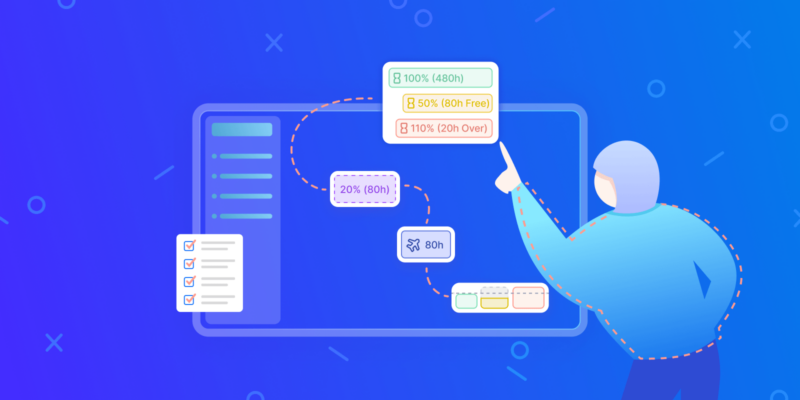
Quarterly planning is where a services firm discovers that two of its senior consultants are already booked at 110% capacity. No new engagement has even been sold yet. That over-allocation is invisible on a task board. Yet it decides whether the next project ships on margin or burns a delivery lead. For a 20-to-200 billable-staff consulting, agency, or professional-services firm, the software behind that visibility is not cosmetic. It is the difference between a project-management tool and a professional-services-automation (PSA) platform.
This guide compares the three platforms operators really shortlist: Monday.com, ClickUp, and Birdview. Its lens is the delivery-to-finance chain. It is written for the COO, finance lead, or practice manager who has to defend the decision, not the person who likes the prettiest interface.
The 30-second answer: which of the three fits which services firm
Three platforms. Three distinct operating assumptions. Pick wrong, and a 50-person firm loses six months to re-implementation work.
Monday.com suits teams that need a shared work surface running inside a week. Its G2 ease-of-use score of 9.1 and setup score of 8.8 reflect genuine low-friction onboarding [1]. Is your main problem project visibility? Can you live with integration-based time tracking via Toggl or Harvest? Then monday.com at $12 per seat on the Standard tier (billed yearly, as of August 2026) is a defensible starting point. It removes barriers right away.
ClickUp fits firms willing to trade setup time for configurability. It offers 1,000+ integrations, including Salesforce for sales handoffs and GitHub for technical delivery teams. Almost any workflow fits. That flexibility has a real cost: Birdview’s comparative research puts a proper setup at two to four weeks for a services team. At $7/user/month on the Unlimited tier (billed yearly, as of August 2026), the price is hard to argue with. One question decides it. Can your ops team build and maintain the setup?
Birdview is the right fit when the firm’s core problem is not task visibility but delivery economics. Projects, resource capacity, time tracking, margin analysis, and billing connect natively, not through integrations. That distinction matters most in the 20-to-200 billable-headcount band, where staffing conflicts stop being occasional edge cases and become a weekly fact of life.
Which platform matches your situation? Use this checklist.
- Visibility within a week → Monday.com Standard tier
- My team has ops capacity to configure a flexible system → ClickUp Unlimited tier
- Utilization, billing, margin: one workflow → Birdview PSA
- 30–200 billable people, weekly scheduling conflicts → Birdview PSA
- Salesforce or GitHub delivery handoffs needed → ClickUp
Cross-project complexity surfaces well before a firm reaches 200 people. At 30 to 50 billable staff, a single senior consultant appearing on four concurrent engagements creates scheduling conflicts a task board cannot resolve. Birdview’s resource capacity layer surfaces exactly that problem. It flags over-allocation where staff hit 110% capacity during quarterly planning, before any new engagement is signed. We’ve seen this pattern repeatedly with our clients since 2023.
Why the PSA vs. project management distinction is the actual decision
“Project management” and “PSA” (professional services automation) are not interchangeable labels. A project management tool tracks tasks, timelines, and status. A PSA platform connects those tasks to utilization rates, invoicing runs, margin tracking, EAC (Estimate at Completion) forecasting, and capacity planning. All in one data model. That choice decides whether delivery and revenue workflows live in one system or need manual reconciliation between tools.
Monday.com and ClickUp are project management platforms with different levels of financial add-ons. Birdview is a PSA platform that also handles project management. For a firm where project delivery and revenue recognition are the same workflow, that architectural difference is the decision.
SelectHub rates Birdview at 94% user satisfaction among services teams as of 2024. That fits its narrow, deliberate focus on the 20-to-200 mid-market, rather than the broad horizontal market that monday.com’s 250,000+ customers represent [2]. Breadth is monday.com’s advantage. Depth on delivery financials is Birdview’s.
Choose by the problem you are truly solving. Not by the feature list that looks most complete on a comparison slide.
PM tool vs PSA software: the category mistake that causes expensive replatforming
Buying a project management tool when you need professional services automation is one of the most common, and expensive, mistakes a growing consulting firm makes. It sounds academic. Until you’re 18 months in and mid-contract with a vendor. You still can’t answer two questions that matter every single week. Who is free next month? Which engagement is running below target margin? At that point, replatforming isn’t a future option. It’s an emergency.
What PSA means in practice
Professional services automation (PSA) is a connected system that runs the full services delivery lifecycle. It is not a fancier name for task management. A PM tool is a coordination layer. PSA is an operational backbone. A true PSA connects six specific functions in a single data model: resource forecasting, time capture, project budgeting, utilization reporting, billing, and margin visibility. Remove any one of those connections and you’re back to reconciling spreadsheets.
Birdview’s product architecture illustrates the distinction concretely. Within Birdview, a project is a set of activities implemented by a defined team of project members. Every member carries an access level that governs what they can view and edit. At the intersection of scheduling, workload, and delivery status sits the Activity Center. It is not a reporting layer bolted on top. It is the surface where work gets done. Resource data, time data, and financial data share the same underlying records. So when a project manager updates an activity’s completion status, the budget burn and utilization figures update without a second import.
That integration is precisely what generic PM tools don’t provide by design.
Where the replatform trigger actually hits
Warning signs accumulate slowly. They rarely arrive as a single crisis.
Consider a 50-person agency running monday.com boards for delivery and a side spreadsheet for resourcing. On usability, the boards score well: monday.com holds a G2 ease-of-use rating of 9.1/5 [1], and the $12/seat Standard plan keeps costs in check. For the first year or two, the setup works. Then the firm wins three concurrent engagements and the resourcing spreadsheet breaks. Are the two senior consultants free in six weeks truly available, or already tied to a project nobody has entered yet? No one can say.
At 120 people, the same failure mode appears in a ClickUp environment. ClickUp’s 1,000+ integrations [3] make it attractive for technical teams: GitHub connections, custom dashboards, fine-grained permission structures. But native time tracking only arrives at the Business tier ($12/seat/month) [4]. Resource forecasting still needs a third-party integration or a manual workaround. When a practice director needs utilization by service line across the portfolio, ClickUp’s flexibility turns into a liability. Someone has to build and maintain that view. It goes stale the moment a project status changes outside the dashboard’s refresh cycle.
In practice, the replatform trigger is a slow accumulation. A missed margin conversation with a client. A capacity crunch where two senior consultants sit at 110% before any new work is signed. A finance team that can’t reconcile invoices against delivered hours without a three-day manual process. By the time leadership decides to replatform, the firm has spent six to twelve months working around the gap.
Scale and breadth versus services-specific depth
Monday.com serves 250,000+ customers and counts 60% of the Fortune 500 among its users [2]. That scale reflects genuine product quality. A 4.7/5 G2 rating [1] and a setup score of 8.8 [1] confirm that onboarding is fast and adoption is real. Its 200+ no-code integrations [5] mean a consulting firm can connect Salesforce, QuickBooks, or Xero without a developer. For teams that mainly need task coordination and client-facing project boards, monday.com at $9–$19/seat/month
(billed yearly, as of August 2026) is a sound choice.
ClickUp, rated 4.6/5 on G2 [6], earns its position through configurability. Its free-forever tier (100MB storage) and $7/seat Unlimited plan [4] make it accessible for smaller teams. That same depth of custom field schemas and GitHub wiring makes ClickUp a two-to-four-week setup project. Not an afternoon.
Neither platform was designed around the services delivery lifecycle. Both can mimic parts of it. Neither connects earned value analysis, EAC (Estimate at Completion), utilization reporting, and native invoicing in one system. Not without heavy integration work. Monday.com is broad, horizontal, and integration-dependent. Birdview is the opposite: narrow, vertical, PSA-native.
Birdview occupies a different category. Its architecture connects projects, resources, time, billing, margin, and portfolio without middleware. SelectHub reports 94% user satisfaction for the platform as of 2024. Starting at $9/user/month (monday.com Basic, billed yearly, as of August 2026), it is not the cheapest option on a per-seat basis. ClickUp Unlimited at $7/user/month billed yearly is cheaper. But the relevant comparison is not seat price. It is the total operating cost of a PM tool plus everything around it. That means the spreadsheets, integrations, and analyst hours needed to make it answer questions it was never designed to answer.
How to diagnose which category you actually need
Before signing any contract, work through this checklist:
- Can your current tool answer “who is free in 45 days” without a spreadsheet?
- A project status changes. Does margin visibility update on its own?
- Can finance reconcile invoices against delivered hours in under one hour?
- Is utilization by service line visible at the portfolio level without a custom build?
- Resource forecasting, time capture, billing: one system?
Two or more answers “no”? You need PSA software, not a better-configured PM tool.
Choosing the wrong category of software is not a configuration problem. It’s a requirements problem. Solve it before signing a contract, not after the replatforming invoice arrives.
Evaluation criteria for consulting and agency firms: the 9-point scorecard
Before you open a trial account or sit through a vendor demo, agree in-house on what you are grading. Consulting and agency operations share specific failure modes: over-allocated staff, margin erosion on fixed-fee work, invoices that lag delivery by weeks. Generic project management tools were never designed to prevent these. Use the scorecard below: nine criteria, a consistent 1–5 scale, and guidance on where to weight your scores.
Scale definitions (1–5). Apply them the same way across all three platforms:
- 1 = not supported natively (manual workaround required)
- 2 = partial; add-on only
- 3 = works, but only after setup
- 4 = well-supported straight out of the box
- 5 = purpose-built with reporting depth
How to weight: If more than 50% of your revenue comes from billable work, weight criteria 3 through 7 at 2×. Those five criteria drive margin visibility: resource capacity planning, utilization reporting, project budgeting, time tracking, and billing/invoicing. Interface polish matters less. A missed budget conversation can cost you a client.
Before you score, run this pre-evaluation checklist:
- Confirm your primary revenue model (billable hours vs. fixed-fee vs. retainer)
- Identify which criteria carry 2× weight for your team
- Assign two internal evaluators per platform to reduce bias
- Set a trial period of at least two weeks before scoring
- Collect scores independently, then compare
Criterion 1: Rollout speed. How quickly can a 30-person team go live? Monday.com scores high here. Its G2 setup score of 8.8 [1] reflects a truly fast onboarding path. ClickUp’s 1,000+ integrations [3] introduce setup overhead. Birdview’s comparative content notes that a proper ClickUp setup runs two to four weeks. Birdview itself asks for more structured onboarding given its PSA depth. That investment pays back in avoided rework later.
Criterion 2: Ease of adoption. monday.com leads on G2 ease-of-use at 9.1 [1], with ClickUp at 8.5 [1]. Birdview’s SelectHub satisfaction score [7] reflects a different audience: users who need PSA depth find it well-designed for that purpose, not for casual task tracking.
Criterion 3: Resource capacity planning. This is where the gap between project management tools and PSA software becomes concrete. Birdview connects project demand directly to resource availability, surfacing over-allocation before it turns into a delivery problem. Monday.com and ClickUp both need third-party setup to get close. Because over-allocation stays invisible until it is already hurting delivery, native capacity planning is the single highest-leverage feature for staffed engagements.
Criterion 4: Utilization reporting. Billable utilization is a board-level metric. Birdview reports it natively, tied to actual logged hours and project assignments. Both rivals need integration or manual assembly. One view. No spreadsheet.
Criterion 5: Project budgeting. Birdview includes earned value analysis and EAC (Estimate at Completion) as built-in features, not add-ons. For fixed-fee engagements, knowing your EAC mid-project is what divides a proactive client talk from an uncomfortable one. Monday.com and ClickUp handle budgeting differently. Both rely on setup work or third-party tools to reach comparable depth.
Criterion 6: Time tracking. ClickUp offers native time tracking on its Business tier ($12/seat/month) [4]. Monday.com is integration-based, connecting to Toggl, Clockify, or Harvest [1]. Birdview’s time tracking is PSA-native: hours feed directly into utilization, billing, and margin calculations without a middleware step. No extra connector. No sync lag.
Criterion 7: Billing and invoicing. Birdview handles invoicing inside the same system as project delivery. That matters for the QuickBooks or Xero handoff. Actual hours and approved change orders have to carry over. Monday.com and ClickUp both need an external accounting integration to close this loop. Billing lives outside their core product, so reconciliation becomes a manual task.
Criterion 8: Executive reporting. monday.com’s admin score of 9.0 [1] reflects strong dashboards. ClickUp’s 8.6 [1] is solid. Birdview’s portfolio-level reporting connects project status, resource utilization, budget burn, and margin in a single view. It is purpose-built for practice leaders running several active engagements at once.
Criterion 9: Integration flexibility. ClickUp’s 1,000+ integrations [3] make it the clear leader for teams with complex stacks. Think Salesforce for CRM, GitHub for technical teams, QuickBooks or Xero for finance. Monday.com’s 200+ no-code integrations [5] cover most standard enterprise needs with less setup friction. Birdview’s integration story works differently. Projects, resources, time, margin, and billing live in one system, so core PSA workflows need fewer external connectors. Its Microsoft Teams integration pushes task updates, resource alerts, and project status notifications straight into Teams channels. That drives adoption in firms where Teams is already the daily channel.
Price anchors for your business case: monday.com runs $8–$19/seat/month on published tiers [5]; ClickUp from free to $12/seat/month [4]; Birdview from $9/user [4]. Enterprise pricing across all three is quote-based.
Monday.com for professional services: where it shines, and where it runs out of depth
Monday.com earns its 4.7/5 G2 rating [1] for a reason that matters to operators: non-technical users really do adopt it. Ease-of-use scores 9.1 and setup scores 8.8 [1]. Both sit well above the category average, and the numbers hold up in practice. Onboarding a 35-person creative agency onto monday.com in under 30 days is realistic, not wishful. Visual board layouts, color-coded status columns, and drag-and-drop Gantt views cut the friction that kills adoption in most PM rollouts.
Monday.com’s Work OS model fits consulting firms running straightforward delivery workflows: client onboarding sequences, campaign delivery tracking, PMO coordination across a handful of concurrent projects. Automations handle recurring handoffs: notify the account lead when a work item moves to “In Review,” trigger a client-facing update when a milestone closes. These aren’t complex to configure. They cover most of what a sub-50-person team needs day-to-day. With 200+ no-code integrations [5], connecting Slack, Google Drive, or a CRM takes minutes, not a sprint.
Its scale is real. 250,000+ customers use it, including 60% of the Fortune 500 [2]. That breadth signals stability and a mature support ecosystem. Both matter when an operations leader is weighing vendor risk.
Where the model starts to strain
Workload views exist in monday.com, but resource planning at standard tiers stays surface-level. You can see who has tasks assigned. You cannot easily model capacity across roles, forecast utilization by practice area, or catch a staffing conflict before it reaches a client. For a 35-person agency where one person handles resourcing in their head, that’s fine. For a 60-person consultancy running eight concurrent engagements across three service lines, it’s a gap that compounds weekly.
Reporting follows the same pattern. Dashboards look polished and are truly useful for single-project status views. Portfolio-level reporting is another story. Margin by engagement, utilization by role, revenue recognition against budget: each needs heavy dashboard customization or an export to a BI tool. Neither path is impossible. Both add overhead that erodes the platform’s ease-of-use advantage.
Time tracking is integration-based, not native. To log billable hours inside monday.com, teams connect Toggl, Clockify, or Harvest [8]. That works. But it adds a second system, a second login habit, and a reconciliation step before any invoice can go out. For firms where time is the primary billing unit, that friction is structural, not cosmetic.
Pricing scales in a way that deserves attention before signing. Published tiers run $8 (Basic), $12 (Standard), and $19 (Pro) per seat per month [5]. At 60 seats on Pro, that’s $1,140 per month before any add-ons. And the features services teams truly need (advanced reporting, time tracking integrations, higher automation limits) live at Pro or above. Finance tools, invoicing, and project-financial controls sit entirely outside the platform. Closing that gap means QuickBooks, Xero, or equivalent connections, which add both cost and complexity.
A concrete fit scenario
A 35-person creative agency with a project coordinator, no dedicated finance function, and a 30-day go-live deadline is monday.com’s home ground. Such a team needs visual task boards, client-facing status updates, and basic Gantt tracking. Invoicing runs through QuickBooks on its own. Utilization isn’t tracked formally. That profile maps cleanly to monday.com’s Standard or Pro tier. Rollout on that timeline is doable without a dedicated rollout partner.
Red-flag threshold
Once a firm crosses roughly 60 billable staff, the cracks become harder to paper over. Multi-project staffing conflicts surface that the workload view can’t resolve. Leadership starts asking for utilization by role or practice, a report monday.com doesn’t produce natively. Finance wants margin visibility per engagement, not just task completion rates. At that point, the platform isn’t failing; it’s simply operating outside the problem set it was designed to solve.
Monday.com is a strong work management platform. It is not a professional services automation tool. That distinction isn’t a criticism, it’s a buying criterion. Teams that need fast deployment, visual collaboration, and light-touch project tracking will get real value from it. Teams that need resource capacity modeling, native time-to-invoice workflows, earned value analysis, or portfolio-level financial control are a different story. They will be building workarounds within six months of go-live. Knowing which category your firm falls into before signing is the entire point of the exercise.
ClickUp for professional services: flexibility, integrations, and the configuration trade-off
ClickUp is a project management platform built around one core principle: accommodation over opinion. Purpose-built PSA tools make decisions for you: how resources are tracked, how time rolls up to billing, how margin is reported. ClickUp hands you a blank canvas and 1,000+ integrations [3]. For firms with mixed stacks and strong in-house ops skills, that’s truly useful. For firms that need financial control out of the box, it’s a different story.
What makes ClickUp’s integration depth matter for mixed delivery teams?
Breadth is the point here: for multi-discipline firms, the integration ecosystem solves real problems. Consider a 90-person digital consultancy running RevOps alongside software delivery. Sales lives in Salesforce. Engineers push to GitHub. Project managers want custom dashboards that surface utilization and sprint velocity side by side.
ClickUp connects all three without a middleware layer or a developer. Salesforce syncing keeps pipeline data visible inside project views. GitHub integration means technical teams don’t context-switch to log progress. Custom dashboard fields let the RevOps lead build views that match how the firm really measures delivery. Not how the software vendor imagined it.
That’s a legitimate competitive advantage over more opinionated tools. Monday.com offers 200+ integrations with a notably easier no-code setup [5], but its ecosystem is narrower. Teams with complex, multi-discipline stacks will hit that ceiling sooner.
The setup warning most evaluators underestimate
Proper ClickUp setup for a services environment takes 2–4 weeks when done correctly. That figure comes from comparative analysis in Birdview’s published content, not from ClickUp corporate materials. It also matches what ops leaders report after attempting rollout without a dedicated owner.
What does a correct setup involve? Here’s what firms need to build before go-live:
- Custom fields for project type, client, and billing code
- Resource-allocation views across practice areas
- Workflow rules that route tasks by discipline or delivery team
- Dashboard templates aligned to the firm’s own way of reporting utilization
- Time-tracking setup connected to project and billing data
Failure here is predictable. A team deploys ClickUp in a week, uses roughly 30% of what it can do, and six months later wonders why reporting is still manual. ClickUp didn’t fail them. The implementation did.
So the fit condition is specific. With a RevOps lead or senior ops manager who owns template design, field architecture, view setup, and workflow rules, ClickUp pays off. Without that person, or without budgeting the full setup window, configuration debt compounds fast.
Where ClickUp scores on G2, and where it trails
On G2 as of 2025, ClickUp holds a 4.6/5 overall rating [6]. Ease of use scores 8.5, setup 8.2, and admin 8.6. Those numbers are solid in absolute terms.
Now compare monday.com: 4.7/5 overall, ease of use 9.1, setup 8.8, admin 9.0 [1]. A pattern emerges. ClickUp’s flexibility comes with a clear usability cost. Project managers at services firms are billable and can’t spend hours learning a new tool. For those teams, that gap carries real day-to-day weight.
Pricing holds up at the entry level
ClickUp’s free tier supports unlimited users with 100MB of storage, a genuine free tier, not a trial. Unlimited runs $7 per seat per month, and Business comes in at $12 [4].
Native time tracking comes with Business and above. That matters because it keeps time data connected to project delivery without an extra tool. Below that tier, time tracking needs a workaround.
Monday.com’s time tracking is integration-based across all tiers, pulling from Toggl, Clockify, or Harvest [1]. That adds a setup step and a possible data handoff gap. ClickUp’s native time tracking on Business+ is therefore a genuine advantage for firms that want fewer moving parts in time capture.
What is the PSA gap, and why does it matter for financial control?
ClickUp is not a PSA. Native project accounting, margin reporting, EAC (Estimate at Completion) forecasting, and invoicing are not built in. Firms that need those functions face two options. Customize heavily: build budget-tracking fields, margin views, and invoice workflows from scratch. Or bolt on third-party apps. Neither path is free, and both need ongoing maintenance.
For comparison, a platform like Birdview PSA connects projects, resources, time, billing, margin, and portfolio reporting in a single native data model. There’s no assembly required for earned value analysis or utilization reporting. When a project manager needs to know whether a phase is trending over budget before a client call, the answer is already in the system. It is not waiting on a Zapier sync. That’s an architectural difference, not a feature list distinction.
ClickUp’s strength is genuine breadth and configurability. Firms with the internal ops muscle to build and maintain a custom services environment will get real value from it. Other firms need financial control, resource forecasting, and billing to work on day one, without a multi-week build sprint. For them, that same flexibility turns into a burden, not an asset.
Birdview for professional services: why PSA depth matters once utilization and margin are board-level metrics
At some point, a generic project management tool stops being a productivity aid and starts being a liability. That point arrives when your CFO asks for billable utilization by practice and your COO wants to know which engagements are tracking below margin. Meanwhile, your delivery leads are still exporting spreadsheets to answer both questions. Birdview is built for exactly that inflection point.
Its core architecture connects projects, resources, time, billing, margin, and portfolio into one system. Not through integrations. Natively. Take a 120-person management consulting or engineering-services firm running 30 to 50 concurrent engagements. There, that connectivity is the difference between a weekly finance meeting and a daily operating reality. SelectHub’s user research puts satisfaction high. Its stated mid-market fit is 20 to 200 billable staff. Those numbers reflect a deliberate product decision. Birdview is not trying to serve a solo freelancer or a 5,000-person enterprise. It is built for the band where delivery complexity and financial accountability converge.
Where generic PM tools break down
Monday.com earns a G2 ease-of-use score of 9.1 out of 10 [1]. It serves 250,000-plus customers, including 60% of the Fortune 500 [2]. ClickUp connects to 1,000-plus integrations and scores 4.6 out of 5 on G2 [6]. Both are truly strong platforms. Neither was designed around the financial operating model of a billable-hour business.
Time tracking on monday.com routes through Toggl, Clockify, or Harvest. Those third-party tools add a sync dependency between where work happens and where revenue is recognized. ClickUp offers native time tracking, but only from the Business tier at $12 per seat per month [4]. Birdview’s time tracking is PSA-native. Hours logged against an activity flow straight into budget consumption, utilization figures, and invoicing, with no middleware step. That architecture matters when a project manager needs earned value and EAC (Estimate at Completion) in real time, not assembled before a review meeting.
Where the 110% capacity problem gets caught
Consider quarterly planning at a firm with 40 billable consultants. Two senior consultants are already over-allocated before any new engagement enters the pipeline. Without cross-project visibility, a delivery lead closes the sale, assigns those consultants, and discovers the conflict in week two. By then it is a client conversation, not a planning conversation.
Birdview’s resource capacity planning surfaces that over-allocation before the pipeline closes. Forecasted availability is visible at the portfolio level, not locked inside single project plans. That is not a reporting feature; it is a commercial risk control. Catching a staffing conflict at proposal stage costs nothing. Catching it after contract signature costs margin, relationships, and sometimes both.
Financial management built in, not bolted on
Budget tracking, earned value analysis, and EAC are native to Birdview’s project financial layer. Earned value analysis compares planned value against actual cost and earned value. What you get is a forward-looking margin signal, not a backward-looking spend report. EAC extends that signal to project completion. A delivery lead knows in week three whether a fixed-fee engagement is trending toward its budget ceiling.
For a firm where project managers are accountable for margin, that gap matters nearly every week. QuickBooks and Xero integrations connect Birdview’s native invoicing to the accounting system of record. Finance does not need to re-key approved time into a second billing workflow. The handoff is structured, not manual.
Product structure worth knowing
Inside Birdview, work is organized around three activity types: tasks, issues, and requests. Each maps to a different operational context: planned work items, problems needing resolution, and incoming work that needs triage. Projects are collections of activities assigned to project members. Access levels control what each member can view or edit. New projects are created and managed through the Activity Center. Its project details section surfaces budget status, resource assignments, and timeline in one place.
That structure is not cosmetic. A project manager at a consulting firm can create a new engagement in Activity Center and assign team members with the right access levels. They can attach a budget and begin tracking earned value against it. All within the same interface. There is no context-switching between a project board and a finance module.
Who Birdview fits, and who it does not
Birdview starts at $9 per user per month. That sits competitively against monday.com’s Pro tier at $19 per seat and ClickUp’s Business tier at $12 per seat [4]. Enterprise pricing across all three platforms is quote-based. Entry price is not the point. What matters is what that price buys: a system where utilization, margin, and portfolio health are first-class data, not derived outputs.
Birdview is not the right answer for a 15-person creative agency that needs a visual board and a Slack integration. It is also not the right answer for a team that wants 1,000-plus integrations and maximum configurability. ClickUp owns that space. Birdview leads on PSA depth. That means resource capacity planning, financial forecasting, native time and billing, and portfolio-level visibility. It is the set a services firm needs once delivery performance reaches the boardroom.
If your firm is past the point where a spreadsheet and a project board can answer the CFO’s questions, Birdview is where that conversation ends.
Head-to-head comparison table: Monday.com vs ClickUp vs Birdview across 12 buying criteria
Choosing between these three platforms comes down to one question: are you buying a work-management tool or a delivery-operations system? Each platform below is scored against criteria that matter to a 20–200 person services firm, not a software reviewer.
| Buying Criterion | Monday.com | ClickUp | Birdview |
|---|---|---|---|
| Ease of rollout | G2 setup score 8.8; 14-day full trial; no-code configuration | G2 setup score 8.2; 2–4 week configuration window reported in comparative analyses | From $9/user; PSA-native setup targets services workflows out of the box |
| User adoption | G2 ease-of-use 9.1; 250,000+ customers including 60% of the Fortune 500 | G2 ease-of-use 8.5; highly configurable, which raises the learning curve | SelectHub, strong user satisfaction; Activity Center and access-level model reduce onboarding friction |
| Resource planning | Board-level visibility only; no native capacity model across projects | Via integration; no built-in utilization engine | Native resource planning, project members, utilization, and capacity connected in one system |
| Forecasted capacity | No native forecasting; requires third-party workarounds | Requires custom configuration; no out-of-box capacity forecast | Flags over-allocation before it becomes a client problem; built-in capacity view across the portfolio |
| Utilization tracking | Not available natively; depends on integration stack | Partial; requires manual setup per workspace | Native utilization reporting; billable vs. non-billable hours visible at team and individual level |
| Time tracking | Integration-based only – Toggl, Clockify, or Harvest required | Native on Business+ tier ($12/seat/month) | PSA-native time tracking; entries feed directly into billing and margin calculations |
| Budget tracking | Basic budget fields available; no margin or cost-to-complete view | Limited; no EAC or earned value natively | Built-in budget tracking connected to actuals, resources, and project timeline |
| EAC / Earned value | Not available | Not available | Native EAC (Estimate at Completion) and earned value analysis; project managers see cost trajectory without building a spreadsheet |
| Invoicing | Not available natively; requires QuickBooks or Xero integration | Not available natively; requires integration | Native invoicing; billing connects directly to time entries and project financials, no handoff gap |
| Executive reporting | Strong visual dashboards; portfolio-level data requires Pro tier ($19/seat) | Customizable dashboards; admin overhead increases at scale | Portfolio-level reporting across projects, resources, time, billing, and margin in one view |
| Integrations | 200+ integrations; no-code, easy setup | 1,000+ integrations including Salesforce, GitHub, and QuickBooks; steeper configuration curve | Focused integration set; Microsoft Teams alerts native; Salesforce and accounting connectors available |
| Total admin overhead | Low for task management; rises sharply when services workflows are added via integrations | G2 admin score 8.6; high configurability means high maintenance; dedicated admin often needed | Lower for services-specific workflows; PSA model reduces the number of systems the team has to reconcile |
Table data sources: G2 – monday.com reviews (ratings) [1]; monday.com – Investor Relations (customer scale, Fortune 500) [2]; monday.com – Pricing [5]; G2 – ClickUp reviews (ratings) [6].
Three firm profiles, three different answers.
A 30-person agency running straightforward project delivery with no complex resourcing or billing needs will get the fastest time-to-value from Monday.com. A G2 ease-of-use score of 9.1 [1] is a real advantage at this scale. And the Basic tier at $8/seat/month [5] keeps cost low while the team grows.
A 75-person consulting firm with mixed delivery teams, some billable, some internal, faces a harder call. ClickUp’s 1,000+ integrations [3] make it attractive if the firm already runs Salesforce for CRM and GitHub for technical work. But the setup overhead is real. Time tracking, invoicing, and utilization all need separate setup. Birdview becomes the stronger fit the moment project financials move from “nice to have” to “weekly management requirement”: margin, EAC, utilization.
A 150-person services firm managing a portfolio of concurrent engagements, multiple resource pools, and client billing cycles needs a PSA, not a project board. Birdview’s connected system puts projects, resources, time, billing, margin, and portfolio in one data model. That removes the reconciliation work that kills finance team output at this scale. Monday.com and ClickUp can be configured to mimic parts of this. Admin overhead, though, compounds with headcount. Some firms want an over-booked senior consultant to trigger an alert during quarterly planning, not a debrief after the fact. For them, Birdview’s native resource and financial layer is the practical choice.
Cost, implementation, and change-management realities in a 20-200 person firm
Subscription cost is the smallest line item in a platform switch. Four costs decide ROI: admin setup time, data migration, staff training, and reporting rework. Each one scales differently depending on which platform you choose.
Admin setup time separates the three tools quickly. Monday.com earns a G2 setup score of 8.8/5 and an ease-of-use score of 9.1/5 [1]. That reflects genuine out-of-box usability. Most teams reach a working board structure within days. ClickUp’s 1,000+ integrations create a steeper setup curve. Birdview’s own comparative research puts the figure at two to four weeks before ClickUp mirrors a services team’s actual delivery workflow. Birdview’s PSA-native architecture connects projects, resource capacity, time tracking, activity management, billing, and portfolio views by default. That cuts setup overhead. Everything the services workflow needs is already built in, not assembled from parts.
Migration is where firms keep underestimating the effort. Exporting from a spreadsheet or legacy tool is straightforward. Migrating live project financials, earned value data, and resource allocations into a new system is not. Birdview’s native EAC (Estimate at Completion) and earned value analysis fields accept structured financial data on import. Monday.com and ClickUp need workarounds or third-party middleware to preserve that fidelity.
Staff training costs track setup complexity. Monday.com’s admin score of 9.0/5 [1] points to admins spending less time on permissions and user onboarding than on ClickUp (admin score 8.6/5) [6]. Birdview’s access-level system offers built-in, predefined, and user-defined project access levels. Practice managers get tight control without pulling in a developer.
Report rework is the hidden cost most firms discover at month three. When current reports live in spreadsheets stitched to a PM tool, moving to native margin, utilization, and budget-variance fields removes that rebuild. Birdview users report high satisfaction on SelectHub. That figure reflects how much reporting friction the PSA-native model removes for mid-market services teams.
At published list rates, monday.com’s Basic, Standard, and Pro tiers run $8, $12, and $19 per seat per month, with a 14-day full-feature trial [5]. ClickUp offers a free-forever tier (100MB storage), then $7 per seat on Unlimited and $12 on Business [4]. Birdview starts from $9 per user per month [4]. Every tier above these is Enterprise and quote-based. No published per-seat price exists for any of the three at that level.
Team lead validation map, first 14 days
Five roles need to validate specific things before a contract is signed:
- COO: Can the platform surface portfolio-level utilization and margin without a custom build? Ask for a live demo using your own project mix.
- Finance lead: Test the QuickBooks or Xero handoff. Specifically, can invoices be generated from tracked time without a manual export step? Birdview handles this natively; monday.com and ClickUp route through integrations.
- PMO / practice manager: Validate resource capacity views. Senior consultants get over-allocated during quarterly planning, before new engagements are even scoped. Your system must flag that conflict on its own, not after the fact.
- Delivery lead: Confirm that project activity structures (tasks, sub-tasks, dependencies, assignees) match how work is really broken down. A vendor demo’s version is not enough.
- Team manager: Check notification behavior on day one. Specifically, test whether alerts surface inside Microsoft Teams without requiring users to log into a second app.
That last point matters more than it appears. Teams is a standard enterprise collaboration layer across most mid-market firms [5]. Platforms that push alerts natively into Teams channels see clearly higher adoption than those requiring a context switch. Configuring notification rules in the first two weeks is one of the highest-leverage adoption moves in a rollout. Map project activity alerts to the right Teams channels. It removes the single biggest reason staff revert to email threads.
Bottom line on change management: monday.com wins on speed to first value for generalist teams. ClickUp wins on configurability for technically diverse teams willing to invest setup time. Birdview wins when the firm needs PSA depth: connected time, billing, margin, and resource data without building that architecture from scratch. Which cost buckets your team can absorb matters more than any feature list.
Decision scenarios: which platform wins in 6 real services-firm situations
Matching a platform to a firm type is not about feature checklists. It is about where the pain really lives. Utilization gaps. Invoicing that lags. Integration sprawl. Client-facing coordination that breaks down at scale. Each scenario below names the firm, the staff count, the core problem, and the platform that solves it most directly.
A useful working definition: a PSA (Professional Services Automation) platform connects projects, resources, time, and billing in one data model. A general-purpose project tool manages tasks and workflows without that financial layer.
Scenario 1, 25-person branding agency
Monday.com wins here. A 25-person branding agency runs fast creative cycles with shifting client briefs. Projects are short, the output is visual, and the team needs a board that non-technical staff can update without training overhead. Monday.com’s ease-of-use score of 9.1 out of 10 [1] and sub-two-week setup mean the team spends time on client work, not setup. At $12 per seat on the Standard tier, the cost is manageable for a lean headcount. PSA depth is overkill at this scale.
Scenario 2, 40-person software consultancy
The problem is not one bad integration. It is ten tools that refuse to talk to each other. Engineering wants GitHub connected. Sales wants Salesforce syncing. Delivery leads want custom sprint dashboards. ClickUp’s 1,000-plus integrations [3] make it the natural fit. At $12 per seat, the Business tier includes native time tracking. That removes one more spreadsheet from the stack. Expect two to four weeks of setup work, per Birdview’s comparative analysis. In return, you get a single workspace that fits every team’s workflow preference.
Scenario 3, 60-person architecture firm
Birdview solves the resource contention problem directly. A 60-person firm running concurrent phases across multiple projects needs to see who is allocated, at what percentage, and through which week. And it needs that before a new engagement is staffed. Birdview’s native resource capacity and utilization views surface project members and their workloads without an extra integration. Monday.com handles tasks well. Birdview handles people-load, with allocation percentages and forward-looking capacity built into the core model. A single over-allocated senior architect can delay a planning submission. For a firm in that position, the visibility is not a nice-to-have.
Scenario 4, 85-person ERP implementation partner
ERP delivery firms live and die by margin control. Birdview wins on PSA depth here by a clear margin. An 85-person implementation partner needs EAC (Estimate at Completion) updated live, not assembled before a monthly review. Birdview’s earned value analysis and EAC are built into the project financial layer, not bolted on via a QuickBooks export or a Xero reconciliation. Budget tracking, time entries, and resource costs feed the same data model. Because everything connects, a project manager can see margin erosion in the current week, not the current quarter. That is the structural gap between a PSA and a task tool.
Scenario 5, 120-person management consultancy running a hybrid stack
This is the cautionary scenario. A 120-person consultancy uses Monday.com for task tracking, spreadsheets for resource planning, and QuickBooks for invoicing. It looks functional until quarterly reporting arrives. Data lives in three places. Finance reconciles manually. Utilization numbers are stale. That reporting lag is not a Monday.com failure. It is a structural problem with any hybrid stack at this headcount. A firm at 120 billable staff has outgrown disconnected tools. Consolidating onto a PSA platform that connects projects, resources, time, and billing in one system ends the reconciliation cycle for good.
Signs your firm has hit this wall:
- Finance spends more than two days reconciling project data before each monthly close
- Utilization reports are built manually in spreadsheets
- Project margin is only visible after invoicing, not during delivery
- Resource planning happens in a separate tool from project scheduling
Scenario 6, 180-person engineering-services firm
Portfolio visibility is the dominant need at 180 staff. Practice leads want utilization by service line. Finance needs margin by portfolio, not just by project. Microsoft Teams is already the collaboration layer across the firm, so any new platform must surface alerts there to drive adoption. Birdview’s native Teams integration means project alerts reach staff where they already work. That is a practical adoption lever Monday.com and ClickUp handle less natively at enterprise scale. SelectHub reports high user satisfaction for Birdview among mid-market services teams. That fit is well-documented. At 180 staff, the PSA-native portfolio, resource, and financial model justifies the rollout investment.
Across these six situations, the pattern holds. Smaller creative or technical teams with straightforward coordination needs fit Monday.com or ClickUp well. Firms where project delivery and revenue are structurally linked need a purpose-built PSA layer. Utilization, margin, and invoicing must connect without manual assembly. Neither general-purpose platform was designed to provide that.
How to run a proof of concept without getting fooled by a pretty demo
Vendor demos are optimized for persuasion, not for your workflows. Presenters load clean sample data and skip the edge cases. You never see the export that takes 45 minutes to format for the finance team. Honest evaluation means bringing your own mess and seeing what breaks.
Run a structured 14-day evaluation, not an open-ended trial.
Allocate the first three days to data import and setup. Spend the next seven days on five specific test cases. Reserve the final four days for scoring results against pass/fail criteria, before the vendor’s follow-up call lands in your inbox.
Here are the five test cases that sort real strength from polished UI:
- Import 10 live projects. Not sample projects, actual ones, with real budgets, real team members, and real start dates. Note how long the import takes, whether budget data survives the transfer, and whether project members map correctly to roles.
- Model next-quarter capacity. Take your current headcount and assign them to the pipeline you expect. Flag anyone who hits over-allocation. Birdview’s own client materials document cases where senior consultants are over-booked before any new engagement is confirmed. That scenario should be detectable in under five minutes.
- Run a utilization report by role. Filter by role, not just by person. If the platform can’t aggregate billable hours by role across multiple projects without a manual export, that’s a gap that compounds every week.
- Test time-entry compliance. Ask three people outside the trial to log time for one week using only the platform’s default interface. At the end of the week, measure what share of entries are complete and correctly coded. Adoption rate under real conditions is the metric that matters, not the feature list.
- Produce a margin or budget-overrun report. Pull a report showing which active projects are over budget or trending toward overrun. Time the path from login to a report you can hand a client or finance director without reformatting.
Finance should ask three pass/fail questions before signing off:
- Can margin be reported without joining data across spreadsheets? If the answer needs an export to Excel first, that’s a fail.
- Can project budget variance be seen on a single screen, without drilling into multiple sub-menus? One screen, one answer.
- Can invoice-ready time be exported in under 10 minutes? Run the clock during the trial. Don’t accept a demo of this, do it yourself.
Delivery leaders should ask three different questions:
- Can you see who is free next month, by name and by role, without building a custom report? Availability should be a view, not a calculation.
- Can over-allocation be detected before a staffing meeting, ideally with a visual flag or alert, rather than discovered during it?
- Can forecast effort be compared against actual effort on a single project screen? Forecast vs. actual is the core question of delivery accountability. If it needs toggling between modules, the workflow will be abandoned within 60 days.
Don’t just click around the interface during your trial. Import real data and test actual workflows against these criteria. A platform that scores well on all eight questions is worth a commercial conversation. One that fails two or more of the finance questions is a project management tool, not a PSA. It does not matter what the sales deck says. Monday.com offers a 14-day full trial on its paid tiers [5]. ClickUp’s free-forever tier gives unlimited time to test, though setting it up for services workflows takes extra investment. Use that time on purpose, not just to explore.
FAQ: Monday.com vs ClickUp vs Birdview for services teams
Q: Can Monday.com or ClickUp handle billable hours and project margin?
Both track time. Neither connects those hours directly to project margin out of the box. Monday.com relies on integrations (Toggl, Clockify, or Harvest) to capture billable hours [1]. Once captured, those hours still need manual reconciliation against budgets, in a spreadsheet or a second finance tool. ClickUp includes native time tracking on its Business tier and above, which helps. But translating logged hours into margin numbers, invoices, or EAC (Estimate at Completion) needs extra setup or a second system. For a firm where every engagement carries a budget and a margin target, that gap costs real admin hours. It also delays financial visibility by days or weeks.
Q: What sets PSA software apart from a project-management tool?
The difference is architectural. A project-management tool organizes tasks, timelines, and team communication. A PSA, professional services automation platform, connects projects, resources, time, billing, margin, and portfolio performance inside one data layer. Birdview is built on that PSA model. Utilization rates, resource capacity, earned value analysis, EAC, and native invoicing all live alongside the project plan. When a senior consultant joins a new engagement, the capacity impact shows up at once, not after someone updates a spreadsheet. Because everything shares one data layer, there is no reconciliation step. That is why firms that outgrow generic PM tools move to a PSA rather than adding more integrations.
Q: Which platform is best for a 30-person consulting firm?
Start from the firm’s primary constraint. No single platform wins everything.
Is the main pain task visibility and cross-team coordination? Monday.com’s ease-of-use score (9.1 on G2) [1] and fast setup make it a sound starting point. If the team is highly technical and needs GitHub, Salesforce, and custom workflows connected, ClickUp’s 1,000+ integrations [3] give it an edge. Just expect two to four weeks of setup before it’s production-ready, based on Birdview’s own comparative research.
For a 30-person firm that bills by the hour, tracks utilization, and manages margins across several concurrent engagements, Birdview’s PSA-native architecture fits directly. SelectHub reports 94% user satisfaction for Birdview among mid-market services teams. Its sweet spot is explicitly 20–200 billable staff. Our clients in that range keep citing margin visibility as the deciding factor when switching from a generic PM tool.
Q: How do Monday.com, ClickUp, and Birdview prices compare for a services firm?
Published list prices are a starting point, not the full story.
Monday.com runs $8/seat/month (Basic), $12 (Standard), or $19 (Pro), with a 14-day full trial [5]. ClickUp offers a free tier (100 MB storage), then $7/seat/month (Unlimited) or $12 (Business) [4]. Birdview starts from $9/user/month. All three move to enterprise/quote pricing above those tiers.
A more useful framing is total stack cost. Monday.com or ClickUp at $12–$19/seat still needs extra time-tracking, resource-planning, and invoicing tools, each adding per-seat cost and integration overhead. A PSA that consolidates those functions can carry a higher headline price while cutting the overall stack. Model the full cost before comparing line items.
Q: Does Birdview replace Monday.com or ClickUp entirely?
Not necessarily. Worth being direct about that.
Birdview is purpose-built for services delivery and project financials. Resource capacity, utilization, Activity Center workflows, access levels, earned value, and native invoicing are its core. It is not a generic work-management platform with 1,000+ integrations, and it is not trying to be one.
Some firms run Birdview for all billable project work. They keep a lighter tool (Monday.com or a shared Teams workspace) for internal non-billable operations like marketing or HR. That is a legitimate architecture. Everything hinges on whether the firm’s revenue-generating work lives inside the PSA. If it does, Birdview handles it start to finish. If a team only needs task boards with no financial accountability, a generic PM tool is the more fitting choice.
Q: When does it make sense to switch from Monday.com or ClickUp to a PSA?
The switch pays off when billable hours, utilization, and margin have to live in the same system as the project plan. The usual signals are weekly manual reconciliation of logged hours against budgets, margin numbers that only appear after invoicing, and resource conflicts that surface in client meetings rather than in a capacity view. Below that level of complexity, a well-run PM tool with a time-tracking integration remains the cheaper and simpler choice.
Final recommendation: choose the software category first, then the vendor
Start with the problem, not the product. Is your team’s pain task coordination: missed handoffs, unclear ownership, scattered updates? Evaluate monday.com or ClickUp. If the pain is billable capacity, budget overruns, and shrinking margins, evaluate Birdview first.
That single filter weeds out most bad buying decisions before a demo is ever booked.
Ranked by three priorities that matter most to services operations:
Fastest adoption. Monday.com leads. A G2 ease-of-use score of 9.1 and a setup score of 8.8 [1] reflect a platform that project teams use from week one. A 14-day full trial at $8–$19 per seat per month [5] lets you validate fit without a procurement cycle. With 250,000+ customers and 60% of the Fortune 500 running on it [2], the onboarding playbook is well-worn.
Deepest configurability. ClickUp leads. Over 1,000 integrations, including Salesforce, GitHub, and QuickBooks, give technical and cross-functional teams genuine flexibility [8]. A free-forever tier and the $7/month Unlimited plan [4] lower the entry cost. Setup depth does carry a cost. Birdview’s comparative research puts a stable setup at two to four weeks. That’s real calendar time, not a footnote.
Strongest PSA depth. Birdview leads, and it isn’t close for firms with 20–200 billable staff. Projects, activities, resource capacity, time tracking, EAC (Estimate at Completion), earned value analysis, utilization, and native invoicing connect in one system. Nothing is assembled from integrations. Monday.com handles time tracking through Toggl, Clockify, or Harvest; Birdview tracks it natively. SelectHub puts user satisfaction at 94% [7]. For a practice manager watching margin erode quarter over quarter, that architectural difference is the whole argument.
Where each platform falls short: Monday.com’s financial layer is thin without add-ons. ClickUp’s configurability can become a maintenance burden. Birdview is not the right fit for teams that need generic flexibility or a broad integration ecosystem. It is purpose-built for delivery economics. Universal work management is not its game.
Practical next step: Shortlist two platforms based on the priority ranking above. Run a 14-day pilot with real project data, not a sandbox demo, and critically, bring finance in before any final vendor decision. Margin visibility looks very different from the ops side than it does from the accounting side. Whichever platform your finance lead can really use is the one that will stick.
Category fit first. Vendor second. Finance in the room before you sign.
Sources
[1] G2 – monday.com reviews (ratings) – https://www.g2.com/products/monday-com/reviews
[2] monday.com – Investor Relations (customer scale, Fortune 500) – https://ir.monday.com/
[3] ClickUp – Integrations – https://clickup.com/integrations
[4] ClickUp – Pricing – https://clickup.com/pricing
[5] monday.com – Pricing – https://monday.com/pricing
[6] G2 – ClickUp reviews (ratings) – https://www.g2.com/products/clickup/reviews
[7] SelectHub – Birdview PSA (user satisfaction) – https://www.selecthub.com/p/psa-software/birdview/
[8] Microsoft – Investor Relations (Teams / Microsoft 365 scale) – https://www.microsoft.com/en-us/investor