

Resource management tools help businesses make the most of their people, time, and budget. But with so many options available, knowing which features truly matter can be tricky. The right tool connects capacity, workloads, and project needs, giving you the clarity to plan smarter and deliver work on time. A strong resource management platform combines planning, forecasting, visibility, and collaboration. When these elements work together, teams can avoid the chaos of overcommitment and the waste of underutilization.
In many professional services organizations, these capabilities are implemented within a PSA platform. Tools like Birdview PSA integrate project management, resource planning, and financials in a single system.
Core planning and allocation features
At its foundation, any resource management tool needs to answer basic questions: Who’s available? What can they do? When can they start? Resource planning features let managers build a clear picture of team availability and skills. From there, resource allocation puts theory into practice. It matches the right people to the right tasks based on their expertise, current workload, and availability.
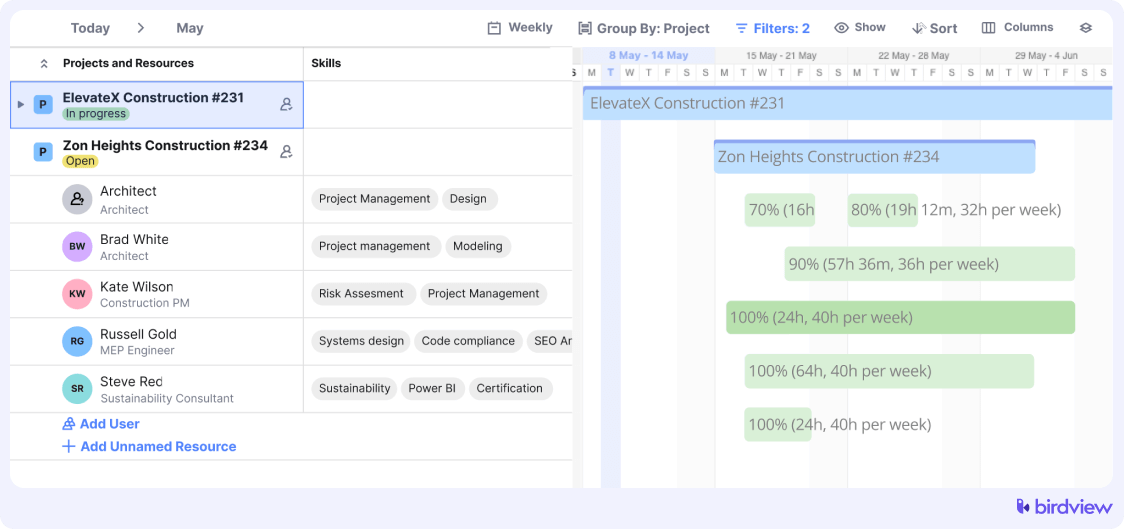
Capacity planning takes this further by forecasting demand across projects, so you’re not scrambling when new work arrives or watching talent sit idle between assignments. Skill management adds another layer, letting you tag team members by expertise. Need a senior developer with React experience? You’ll know exactly who fits the bill. Together, these features create the visibility you need to deploy resources strategically instead of reactively.
📚 Read more: Capacity planning: The ultimate guide (2025)
Scheduling and forecasting tools
Once you know who’s available, you need to see how everything fits together. Interactive scheduling views (think Gantt charts or calendar layouts) turn abstract plans into visual timelines you can adjust on the fly. Workload management displays keep you honest about who’s stretched thin and who has room to take on more.
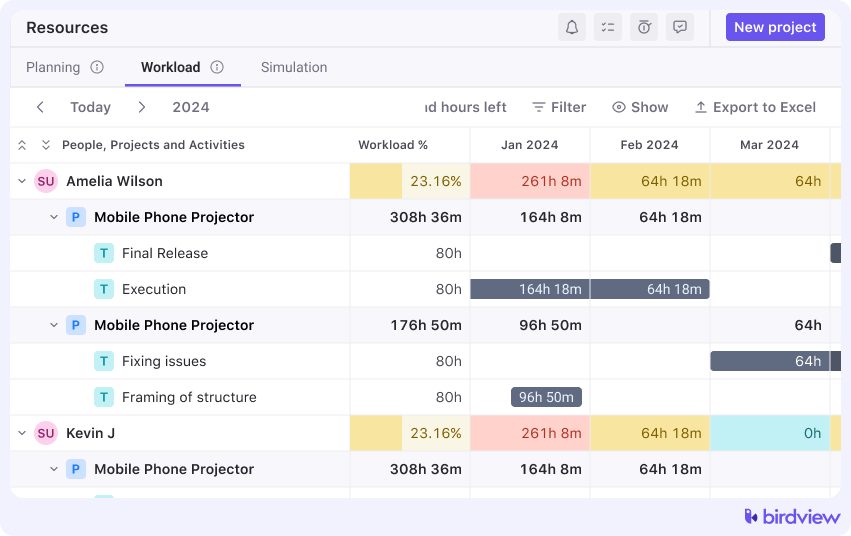
Scenario planning, sometimes called what-if analysis, is where things get interesting. It lets you test different resource configurations before committing, like running a dress rehearsal for your project lineup. Forecasting tools use current data to predict future needs, helping you anticipate hiring requirements or capacity crunches before they become urgent. These features shift your approach from reactive firefighting to proactive planning, which is where real efficiency lives.
Time tracking and cost management
Numbers don’t lie, and time tracking features capture the gap between what you planned and what actually happened. Logging actual hours against estimates improves future forecasting and exposes where time slips through the cracks. Utilization tracking shows how effectively your team’s time is being spent. It’s a critical metric for service-based businesses where billable hours drive revenue.
📚 Read more: How does PSA software help track billable vs. non-billable hours?
Cost tracking and budgeting features connect the dots between labor expenses, project budgets, and profitability. When you can see exactly what a project costs in real time, you catch overruns early and make smarter pricing decisions. Integrating financial and time data creates a complete picture of performance, turning resource management from a scheduling exercise into a strategic advantage.
Reporting and analytics
Good data only matters if you can actually use it. Dashboards offer real-time visibility into capacity, utilization, and project health, all in one place. Customizable reports let you dig into specifics: workload distribution, cost breakdowns, individual performance, or whatever metrics matter most to your business.
Some platforms now include predictive insights using AI to forecast demand patterns and utilization trends. Whether or not you need that level of sophistication, robust reporting is essential for decision-making. It supports performance reviews, helps justify hiring decisions, and keeps long-term planning grounded in reality rather than guesswork.
Collaboration and integration capabilities
Resource management doesn’t happen in a vacuum. Shared views and communication tools keep everyone on the same page about assignments, availability, and deadlines. But the real power comes from integrations that connect your resource management platform with project management software, accounting systems, or CRM tools, creating a single source of truth.
Permissions and access controls ensure the right people see the right information without compromising security or overwhelming users with irrelevant data. When integrations work smoothly, you eliminate duplicate data entry, reduce errors, and free up time that would otherwise go to administrative busywork.
Flexibility and scalability
Your needs today won’t match your needs in two years. Customizable views let different roles, such as project managers, resource managers, and executives, see what matters to them without wading through clutter. Scalability ensures the platform can handle growth, whether that means more team members, additional projects, or entirely new business units.
Remote and distributed teams need to stay connected wherever they work, and browser-based tools remove the friction of local installations and manual updates. Platforms such as Birdview PSA provide this kind of access while supporting different workflows and roles. The ability to adapt to changing processes and scale with new projects, teams, and business units keeps the tool relevant as the business evolves.

